

Freelancers and independent consultants
Build a focused profile around the services you deliver directly.
For specialists
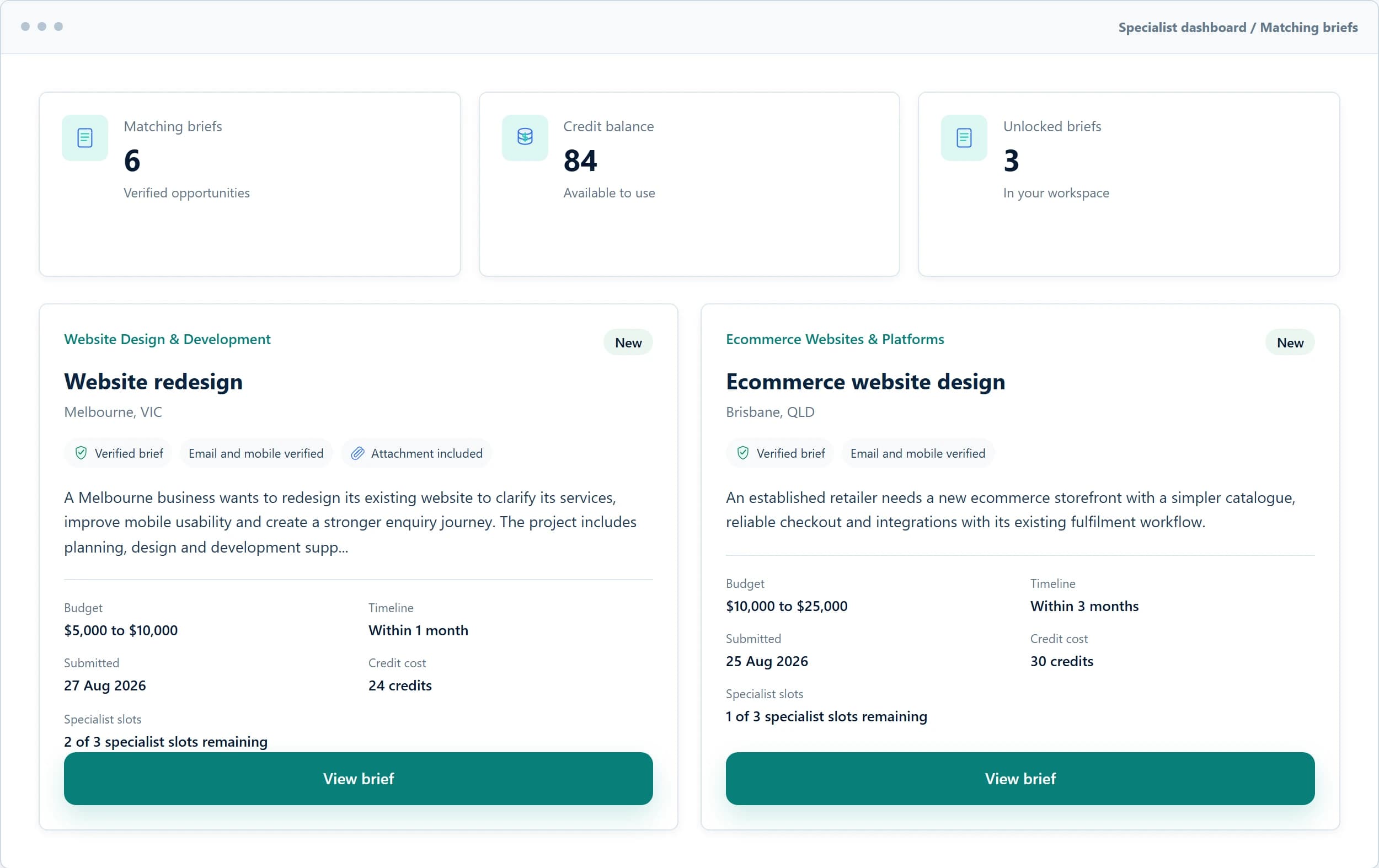
Create a profile around the services and locations you genuinely support, then browse verified briefs and choose which opportunities are worth unlocking.
You can browse briefs for free. The credit cost and specialist slots are shown before you unlock.
Who GrowthBrief is for
Create a truthful profile, select up to the supported maximum number of services, and choose the service areas your business genuinely covers.
Build a focused profile around the services you deliver directly.

Find briefs for websites, branding, content, design and campaign assets.

Review verified opportunities across strategy, SEO, advertising and analytics.

Browse app, software, integration and technical build briefs.

Match with businesses improving sales systems, follow-up and workflows.

Support businesses with print, radio, outdoor, sponsorship and local visibility.
Why join

Email and mobile verification helps reduce low-intent and fake submissions.

See the category, service, location, budget, timeline, attachment indicator, credit cost and remaining slots.

Credits are only used when you deliberately unlock a brief.

Each brief closes when its available specialist slots are filled.

See briefs that align with the services, delivery type and locations configured on your profile.

Approved reviews from businesses can strengthen your specialist profile over time.
Before you unlock
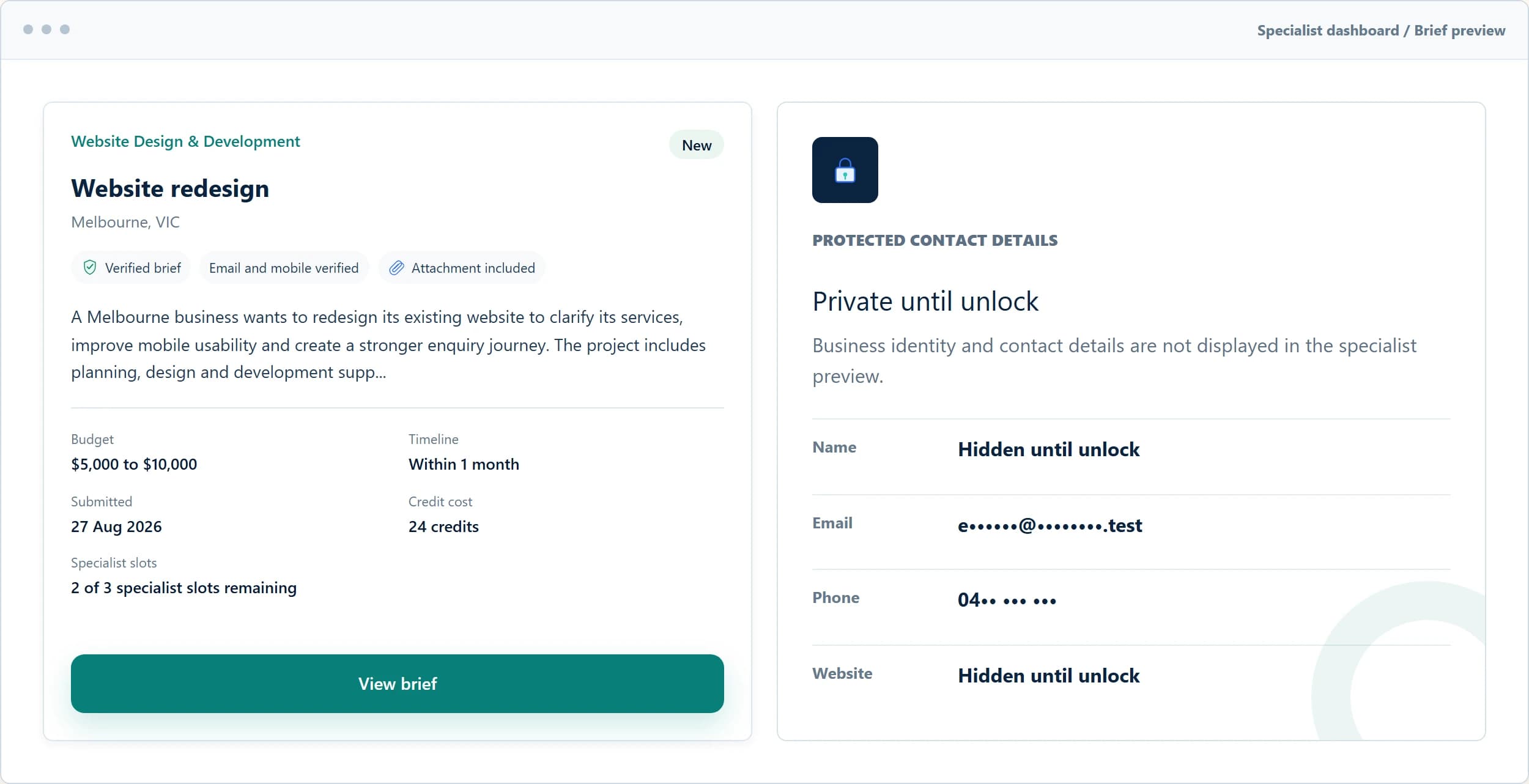
Review useful redacted project information, the exact unlock cost and remaining specialist slots before deciding whether the opportunity fits.
See category, service, location, budget and timeline.
Identity, contact details and permitted attachments remain hidden.
Leave a brief locked when it does not suit your services.
How credits work
Credit options are available inside your specialist dashboard after registration. Public pack pricing is not shown here.
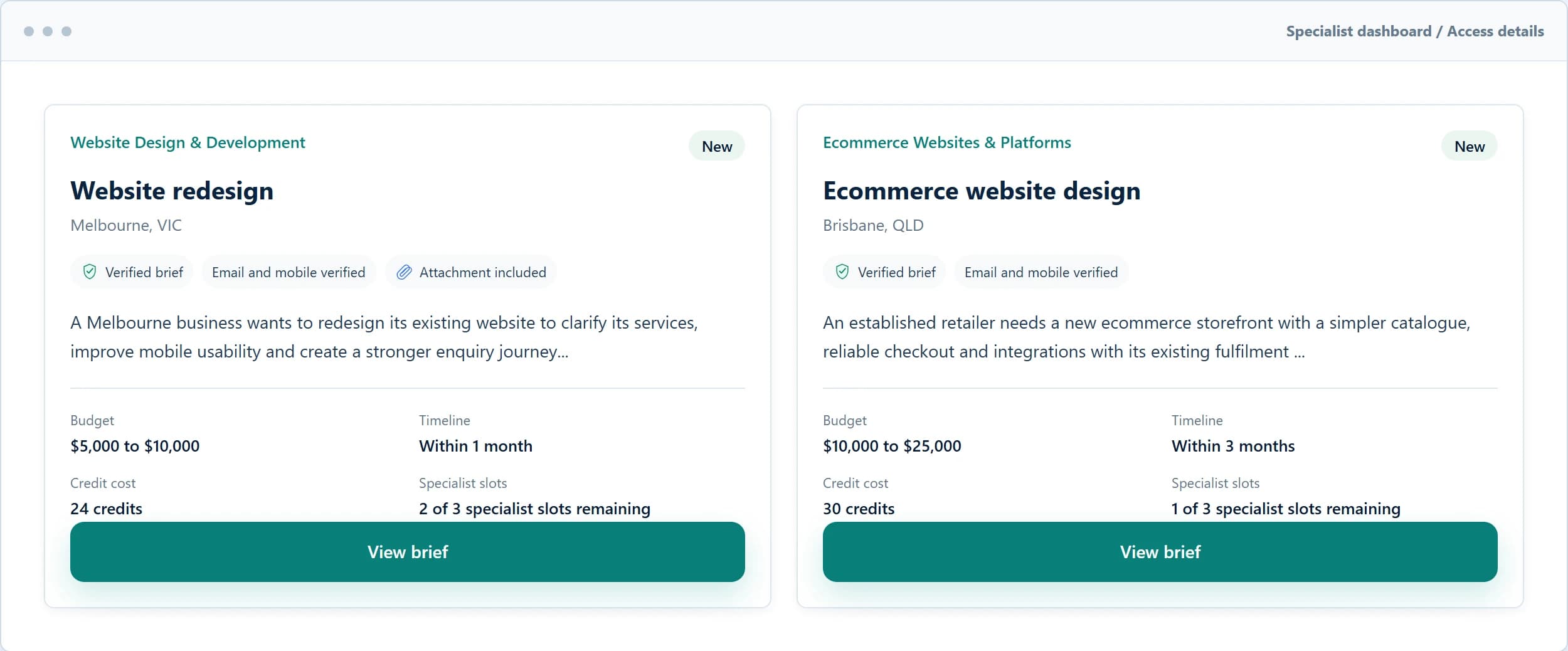
Review available opportunities without using credits.
Consider the service, location, budget, timeline and available slots.
The required credits are shown before you make a decision.
Use credits only when the brief genuinely fits your services.
Matching preferences
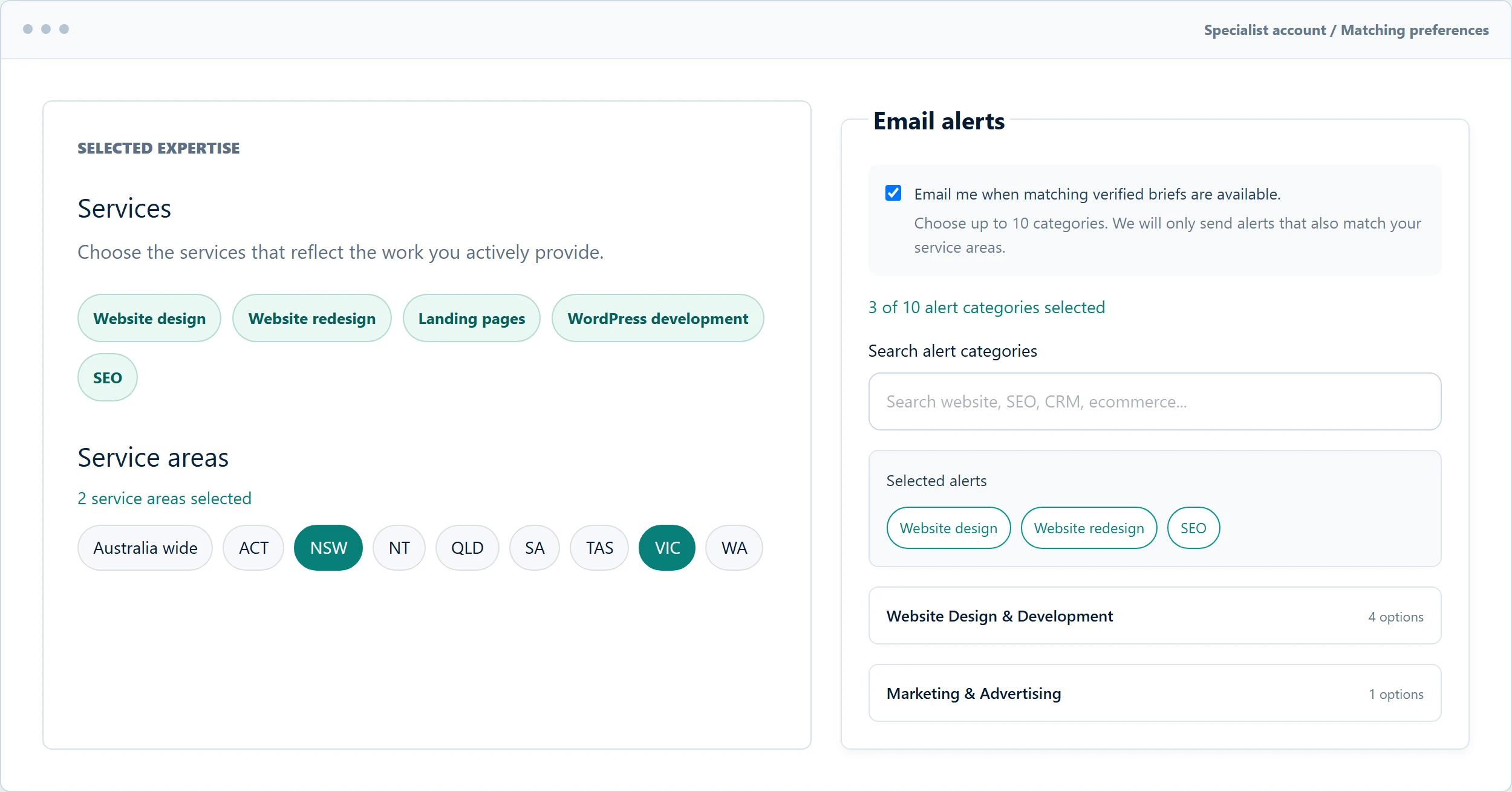
Your profile choices help surface briefs aligned with your expertise, delivery type and service areas. Keep them accurate as your business changes.
Matching opportunity alerts
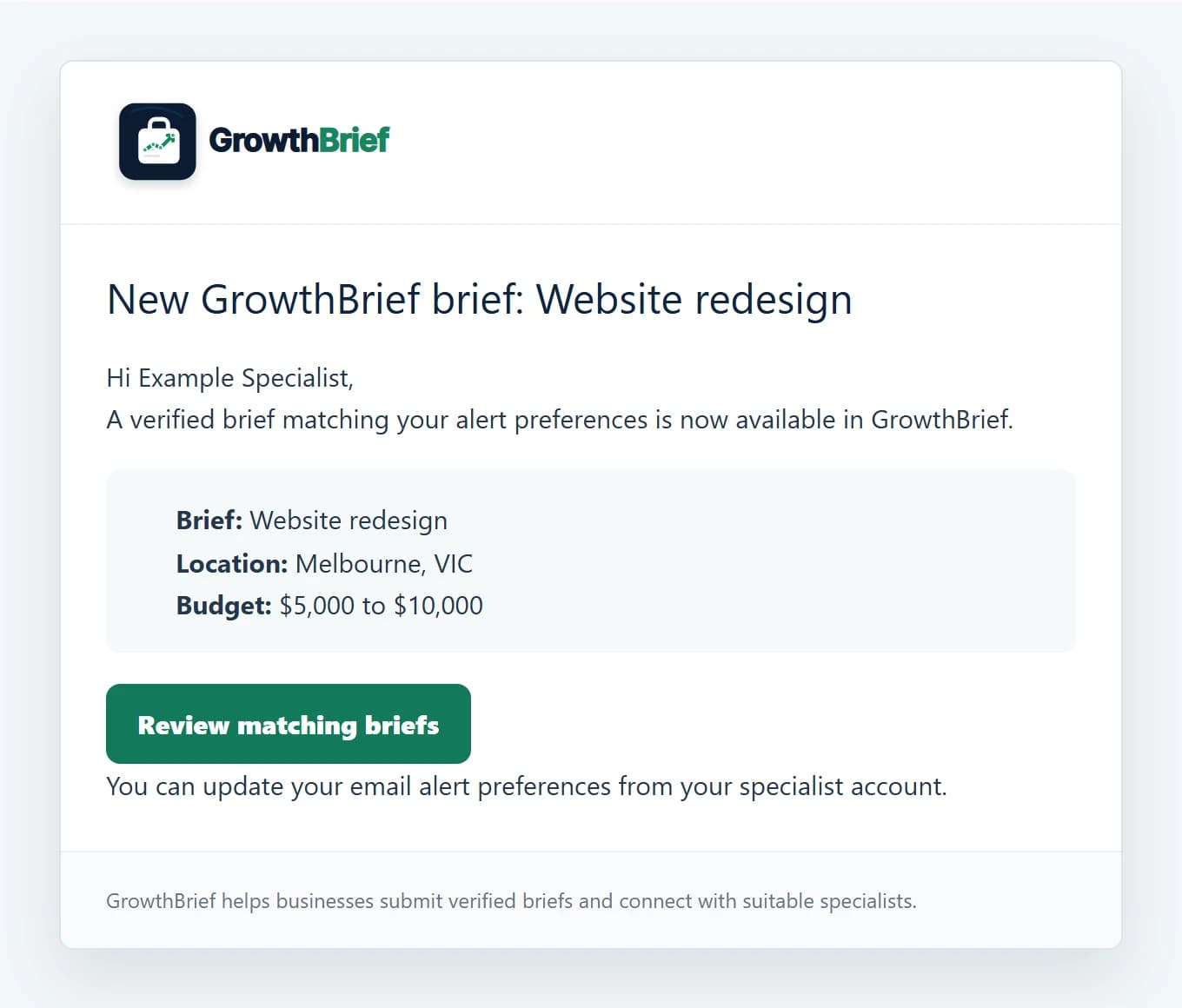
GrowthBrief can send an immediate email when a newly verified brief matches your approved services and service areas. Review the opportunity in your dashboard before deciding whether to unlock it.
Your specialist journey
Tell us about your business, experience and how you work.
Choose up to the supported maximum of genuine services and the areas you cover.
GrowthBrief reviews the application before brief access is enabled.
Explore verified briefs aligned with your profile and service areas.
Review the exact credit cost and available slots before unlocking.
Respond directly and keep the opportunity status current.
Record when the business chooses to work with you.
Eligible businesses can submit reviews that are moderated before publication.
Quality and fairness
GrowthBrief helps specialists make deliberate decisions about where to spend time and credits.
Questions, answered
What approved specialists should know before joining and unlocking briefs.
No. Approved specialists can browse available verified briefs without using credits.
Credits are used only when you deliberately unlock a brief to access the permitted business contact details and attachments.
A maximum of 3 approved specialists can unlock a brief unless an administrator has set a lower limit for that specific brief.
You can see redacted project information including category, service, location, budget, timeline, attachment indicator, credit cost and remaining slots.
You can submit a return request for an eligible reason. Requests are reviewed and are not automatically approved.
After an opportunity is marked as hired, the business may submit a review. Reviews are moderated before appearing on a specialist profile.
Yes. You can manage your profile preferences so matching reflects the services and areas you genuinely support.
Your profile remains under review. Verified brief access is enabled after approval, and you will be notified about the outcome.
Join the network
Create your profile and choose the work you genuinely support.