

Verified briefs
Email and mobile verification helps reduce fake and low-intent submissions.
How GrowthBrief works
Tell us what your business needs, verify your details and connect with suitable specialists who choose to unlock your brief. It is free to submit and there is no obligation to hire.
Choose your journey
GrowthBrief gives businesses a focused way to seek support and specialists a clear way to assess suitable opportunities.
Business journey
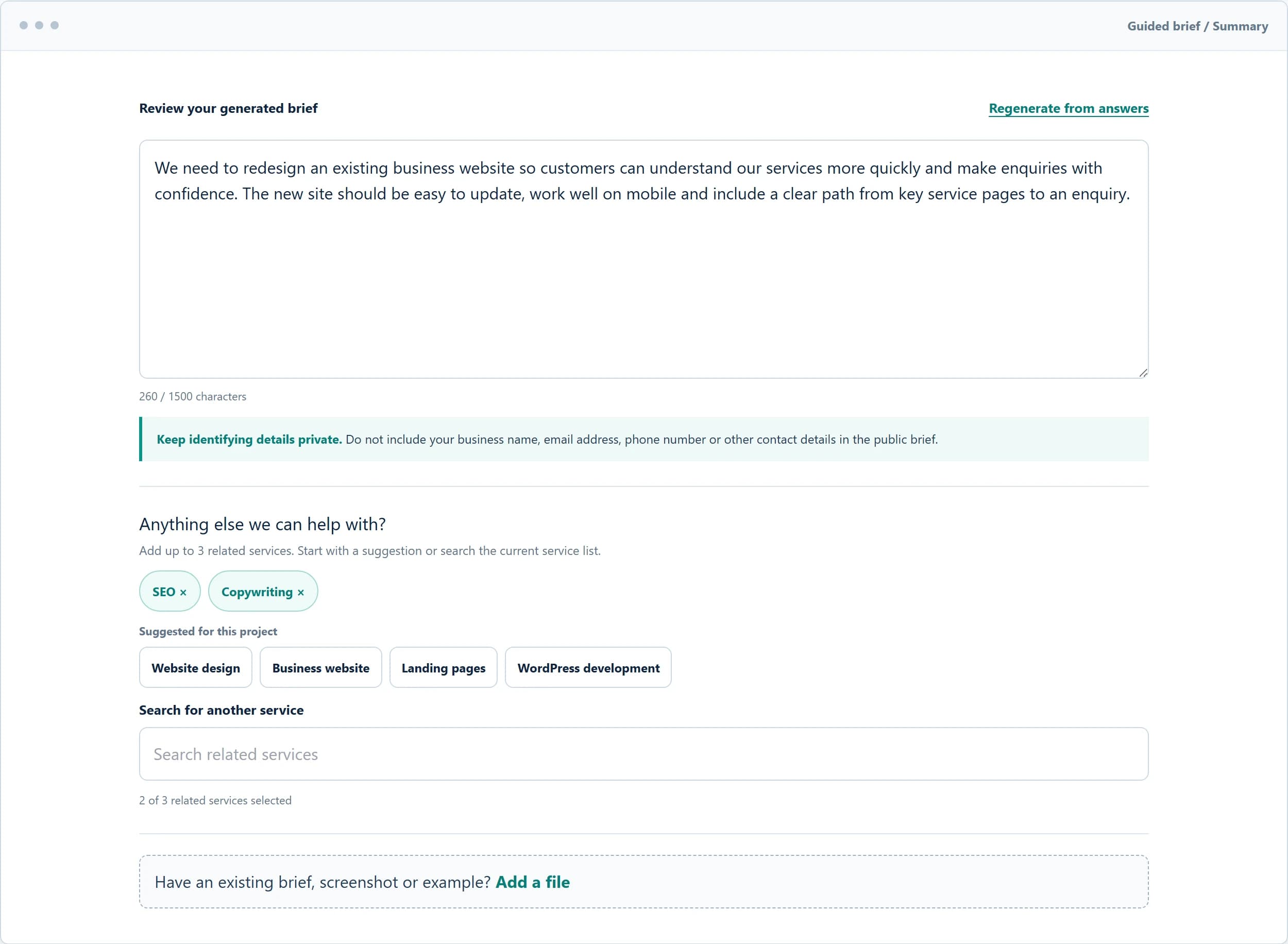
Turn your project into a structured brief and avoid contacting multiple agencies or freelancers one by one.
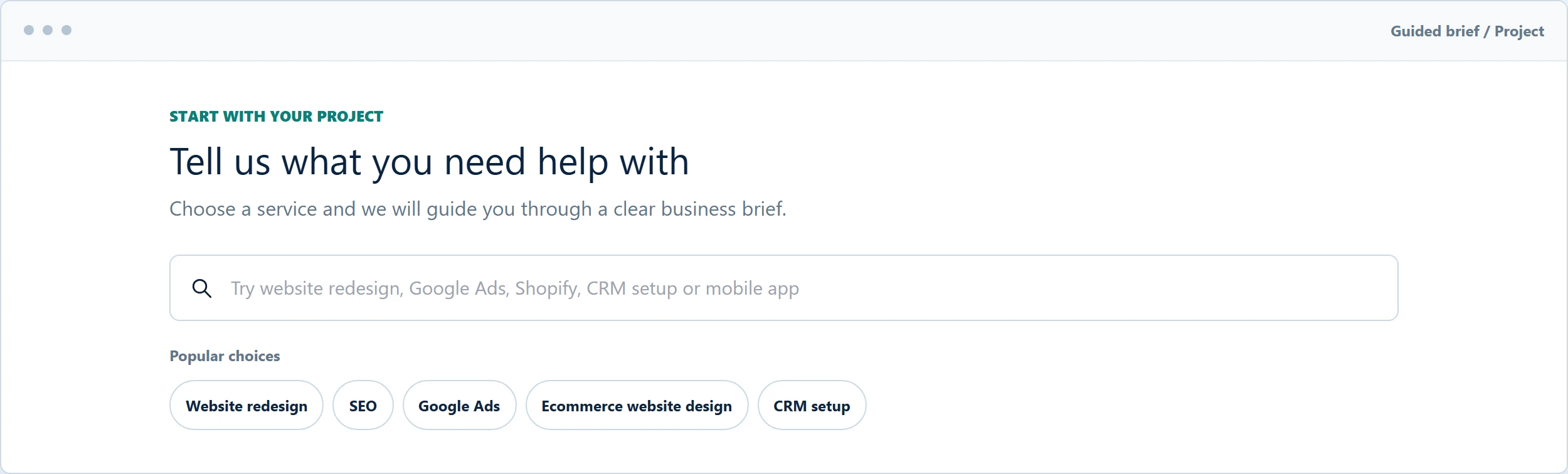
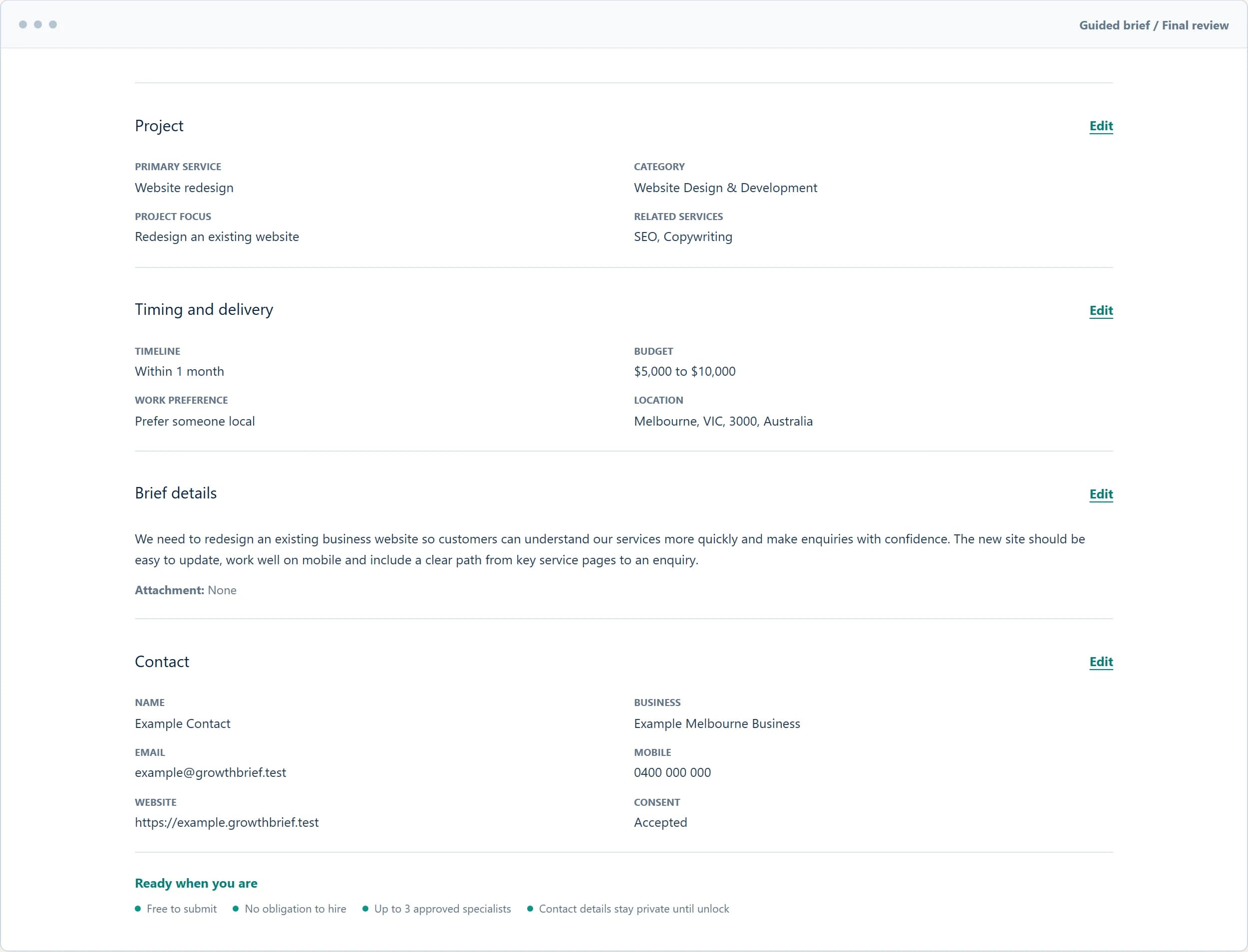
Tell us about the project, your goal, budget, timeline, location and preferred way of working.
Email and mobile verification helps keep GrowthBrief focused on genuine business projects.
Suitable specialists can review the redacted brief and decide whether the project matches their expertise.
Review responses, profiles and approved reviews from vetted specialists, with no obligation to hire.
Verification and privacy
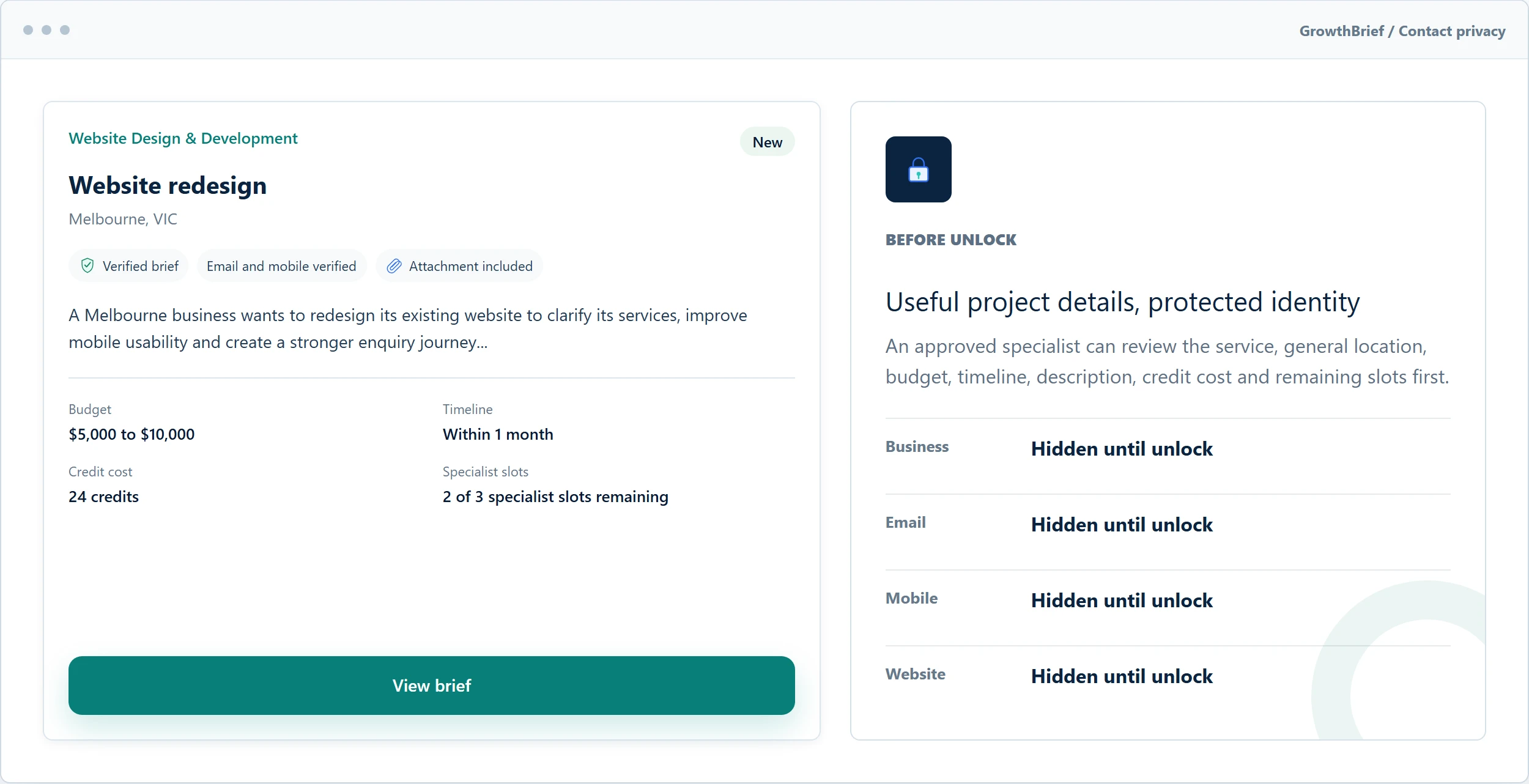
Email and mobile verification helps focus the platform on genuine projects. Approved specialists can assess a redacted brief before choosing whether to unlock its permitted contact details.
The business confirms its email and mobile details.
Suitable specialists see enough project information to assess fit.
Permitted contact details become available after a confirmed unlock.
Specialist journey
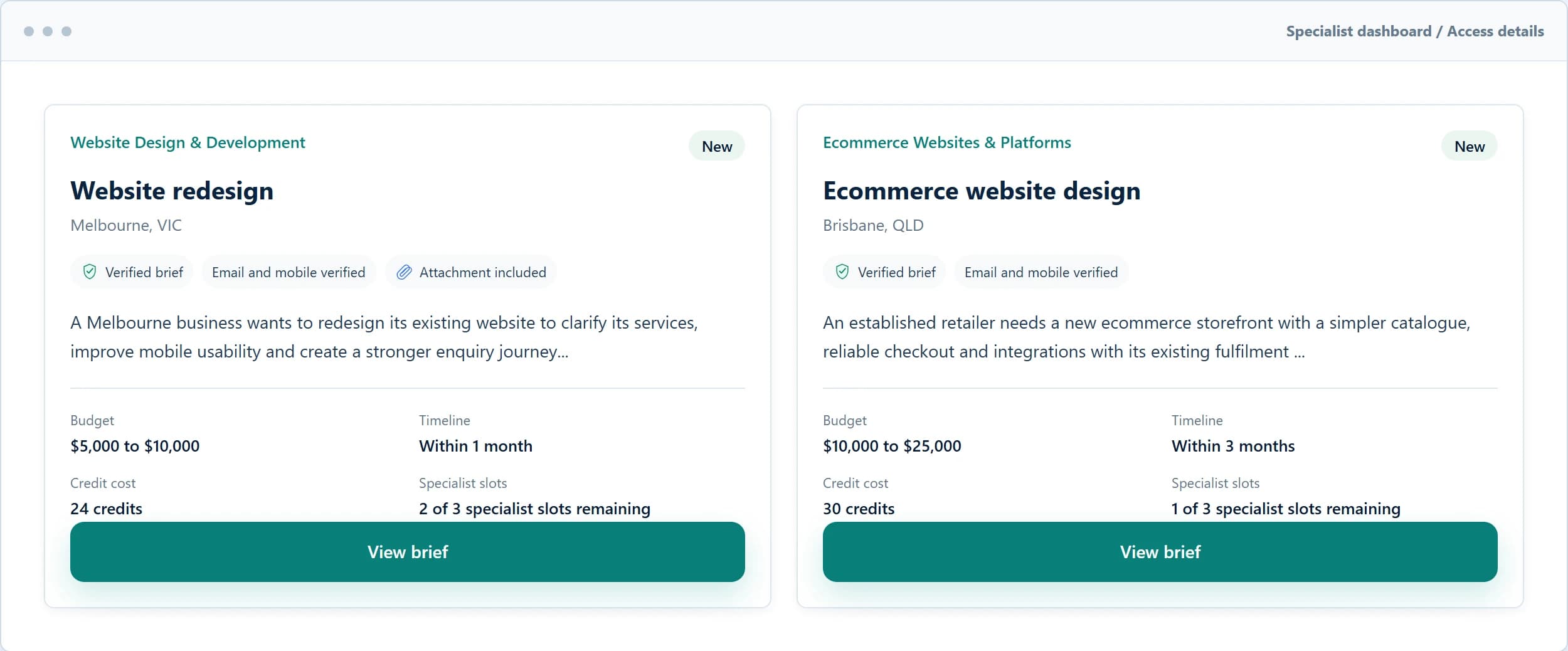
Build a profile around the services and areas you genuinely support, then choose which verified briefs are worth unlocking.
Select the services, delivery options and locations you genuinely support.
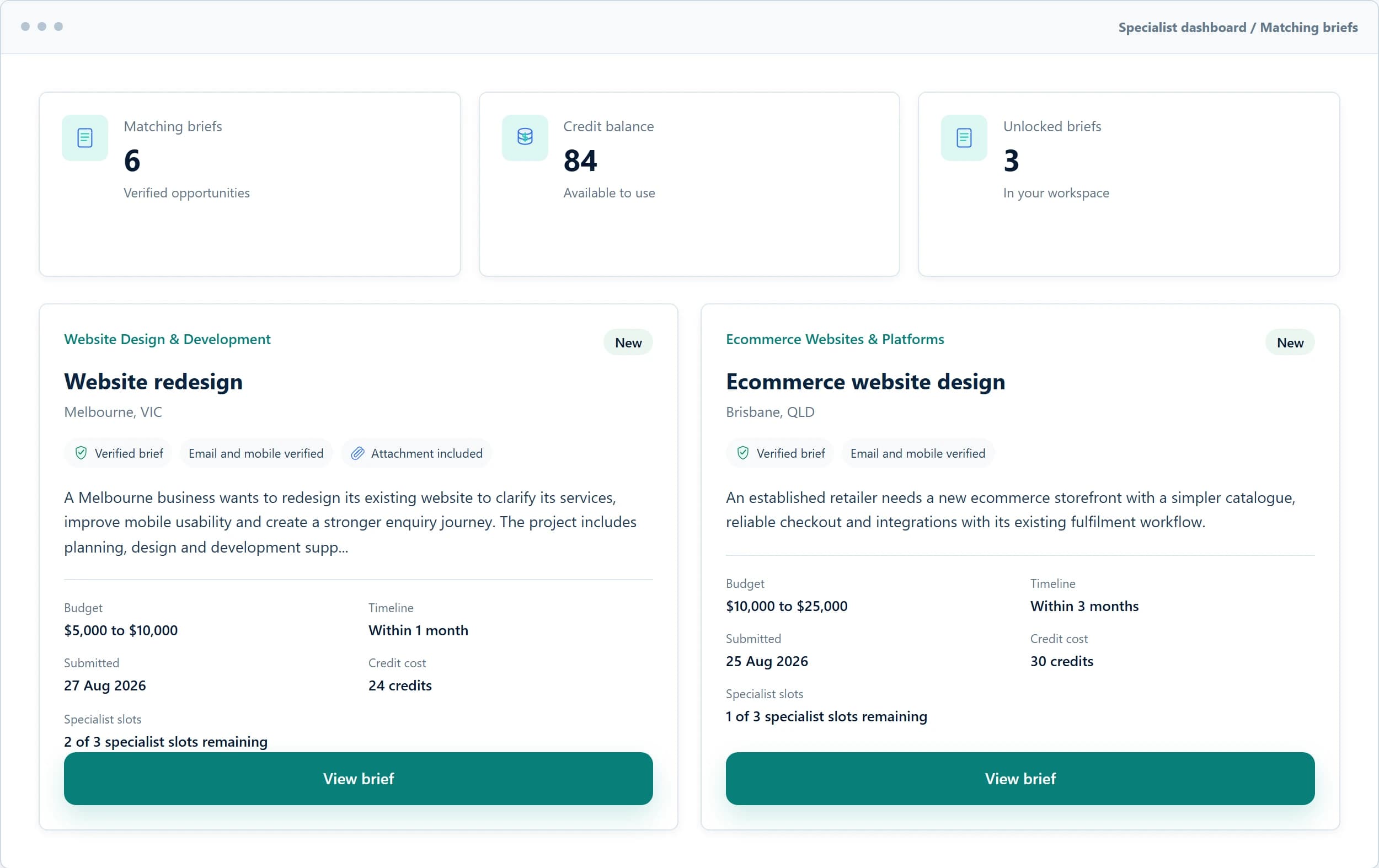
Review verified briefs that align with your approved services and service areas.
See the exact credit cost, project details and remaining specialist slots before confirming.
Access the permitted contact details, respond directly and manage the opportunity in your dashboard.
Privacy by design
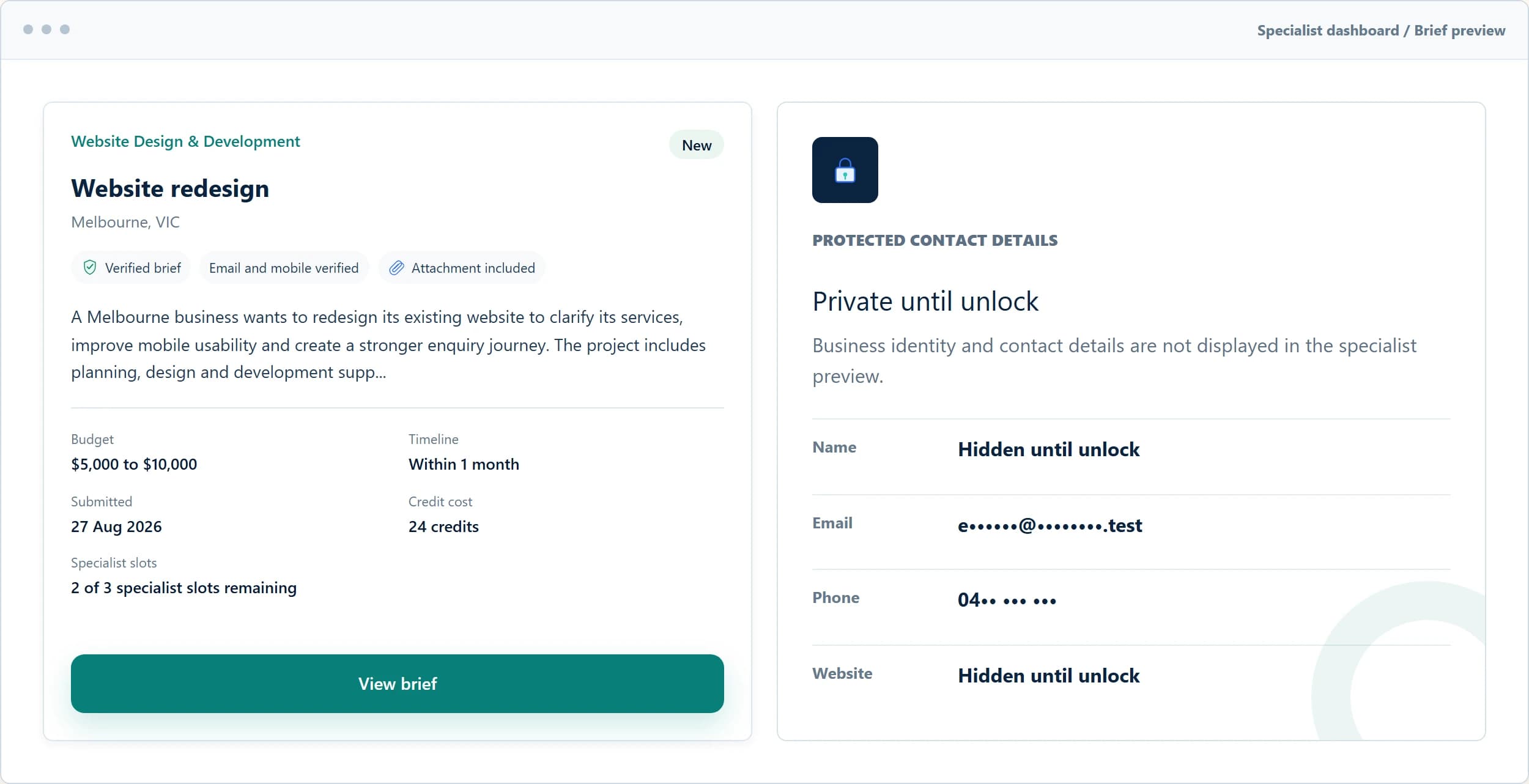
Business names, direct contact details and permitted attachments remain hidden.
The exact credit cost is shown before the specialist confirms the unlock.
Trust and privacy
Practical checks and clear limits help businesses and specialists make informed decisions.
Email and mobile verification helps reduce fake and low-intent submissions.

Specialist profiles require approval before they can access verified briefs.

Contact information remains hidden until a specialist unlocks the brief.
Specialist profiles require approval before they can access verified briefs.

Business reviews are checked before they become visible.

How the platform works
Businesses submit briefs for free. Approved specialists purchase credits and use them only when they choose to unlock a verified brief. Unlocking a brief does not guarantee that a specialist will be hired.
Questions, answered
The key details about submitting, browsing, privacy, credits and the three-specialist limit.
It costs $0 to submit and verify a brief. You only agree fees directly with a specialist if you choose to hire them.
No. You can compare responses and decide whether any specialist is right for your project, with no obligation to hire.
A maximum of 3 approved specialists can unlock a brief. GrowthBrief may set a lower limit for an individual brief when needed.
No. Your business identity, contact details and permitted attachments remain hidden until an approved specialist deliberately unlocks your verified brief.
Yes. Approved specialists can browse available verified briefs without using credits.
Credits are used only when an approved specialist confirms an unlock. The exact credit cost and remaining specialist slots are shown first.
A business can submit a review after a specialist records a hired outcome. GrowthBrief moderates reviews before they become visible.
A specialist can leave the brief locked and use no credits. After an unlock, eligible credit return requests can be submitted for GrowthBrief to review.
Choose your next step
Start a business brief or apply to review matching verified opportunities as a specialist.